

options.session_type set to payin; the session carries the transaction, the receiving account and the look of the checkout.
Session parameters
White label
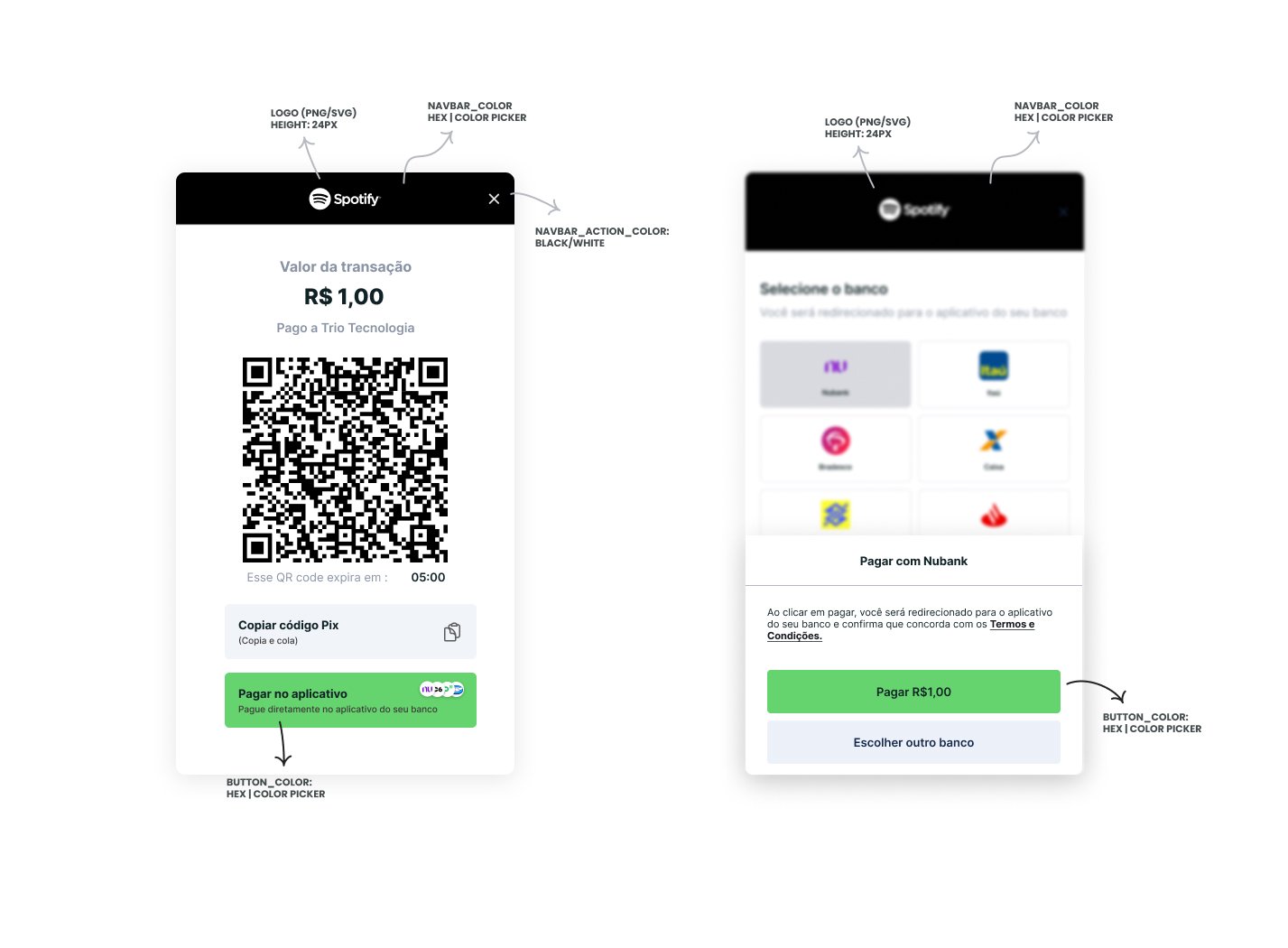
You can customize your end user’s experience by using the checkout as a white label, through theoptions.theme object:
This is what a fully customized checkout looks like:
Create the session
Make aPOST request to /checkout/sessions with the following payload:
HTTP 200 response like this one. Save data.id: it is the session you pass to Trio.create().
What the user sees
When the checkout opens, the user goes through these screens:.png?fit=max&auto=format&n=1XTaNHmNt6qpzFit&q=85&s=b52baceaec864a2f4521a0a76bacc443)
Next steps
- Using the SDK: pass the session to
Trio.create()and open the checkout. - Receivables: what happens to the money once the in document settles.
- Webhooks: be notified when the payment settles.