{
    "transaction": {
        "tax_number": "23725474028", // John Doe's document/tax number
      	"phone_number": "+5541999999999", // John Doe's Pix Key
      	"email": "user@trio.com.br", // John Doe's Pix Key
        "name": "John Doe", // Customer name
        "amount": 1, // total amount in cents
        "external_id": "01H7DKA58YDWPA7ZBCCAVWFM5E", // reference for your system
        "description": "Paid to example.com", // additional information about the transaction
      	"redirect_url": "http://your.url.here", // URL the user will be redirected after completing an open finance transaction
    },
    "receiver": {
        "virtual_account_id": "018a66ca-0451-9cd7-1cfa-8dca325db29f" // unique identifier for the virtual account that will receive the money
    },
    "options": {
      	"session_type": "payin", // Session type (must be payin)
        "expiration_in_seconds": "86400", // session expiration time, integer value
        "theme": {
            "colors": {
                "backdrop_color": "#ffffff", //hex color for the background (optional, accepts any color)
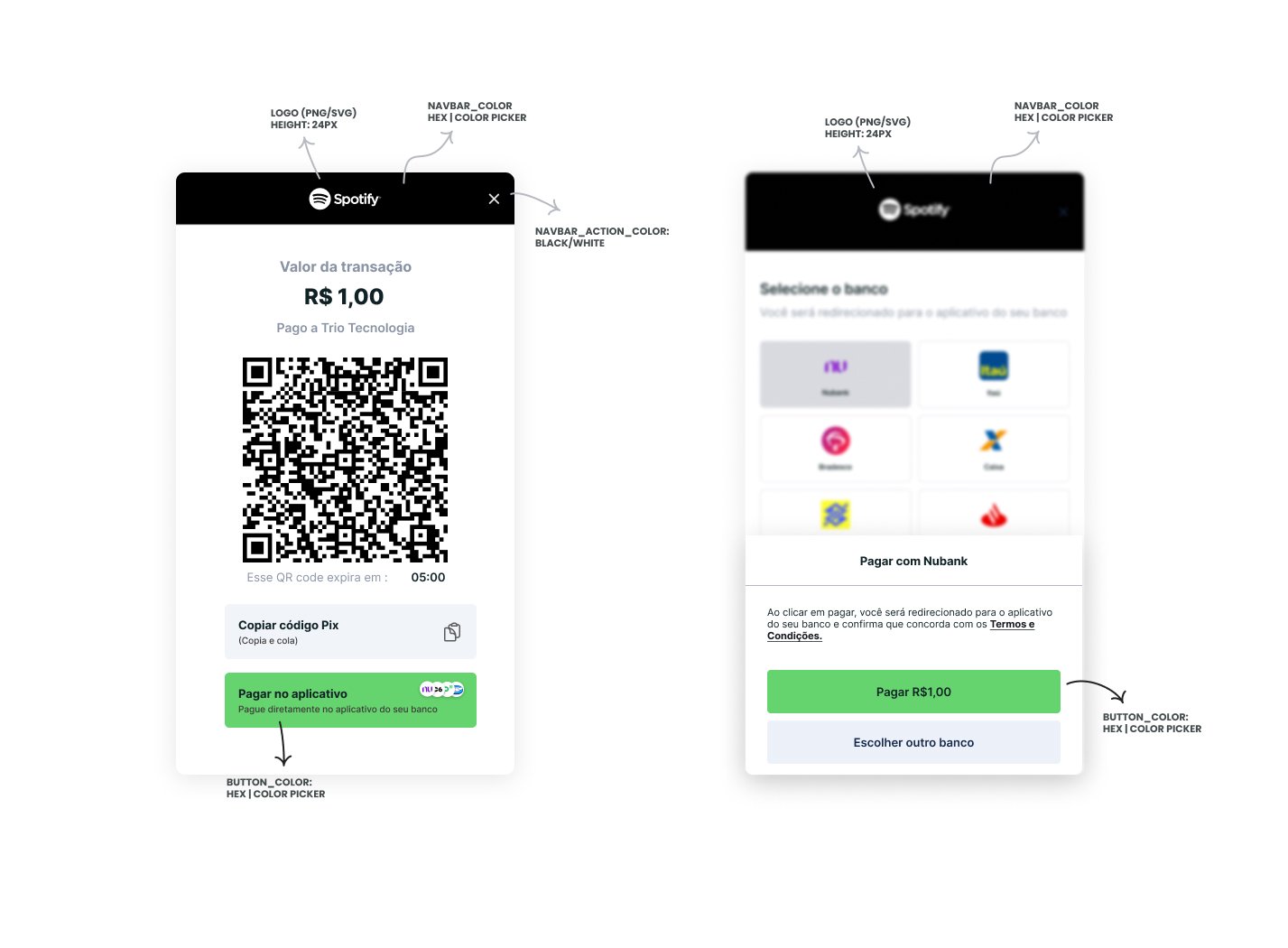
                "button_color": "#f6df69", //hex color for the interface primary action button (optional, accepts any color)
                "button_label_color": "#000000", //hex color for the interface primary action text (optional, accepts only #000000 or #ffffff)
                "link_color": "#426b55", //hex color for links (optional, accepts any color)
                "navbar_action_color": "#ffffff", //hex color for the background (optional, accepts only #000000 or #ffffff)
                "navbar_color": "#426b55" //hex color for top navbar background color (optional, accepts any color)
            },
            "logo_url": "https://linktologo.com/link.png" //url for the logo that will be added to the initiation flow
        }
    }
}


.png?fit=max&auto=format&n=1XTaNHmNt6qpzFit&q=85&s=b52baceaec864a2f4521a0a76bacc443)